User Guide
Pocket Curio is two tabs — Shelves and Map — and one fast way in: the camera. This guide walks through the first launch, collections, adding a souvenir, the whole-shelf scan, the map, backups, and the free tier.
On this page
First launch
The first screen asks one question: how do you want to start? Three doors, no wrong answer:
- Scan my whole fridge or shelf — name the collection, then photograph the whole thing and box each souvenir. Best if you already have a wall of magnets.
- Photograph my first souvenir — name the collection, then straight to the camera for one item.
- Just look around — drop into the Shelves tab and explore.
The welcome screen shows once. Everything it offers is available later from the Shelves tab and the collection's menu.
Collections (your shelves)
A collection is one shelf: Mom's fridge, Dad's keychains, the spoon rack in the hallway. Tap New collection on the Shelves tab and give it:
- A name. Whatever you'd actually call it — "Fridge magnets", "Dad's keychains".
- A kind. Keychains, magnets, shot glasses, patches, ornaments, pins, spoons, stickers, postcards — or Something else, where you type what one is called ("snow globe"). The app then uses that word everywhere: the add button says "Add magnet", the empty shelf says "Photograph your first spoon".
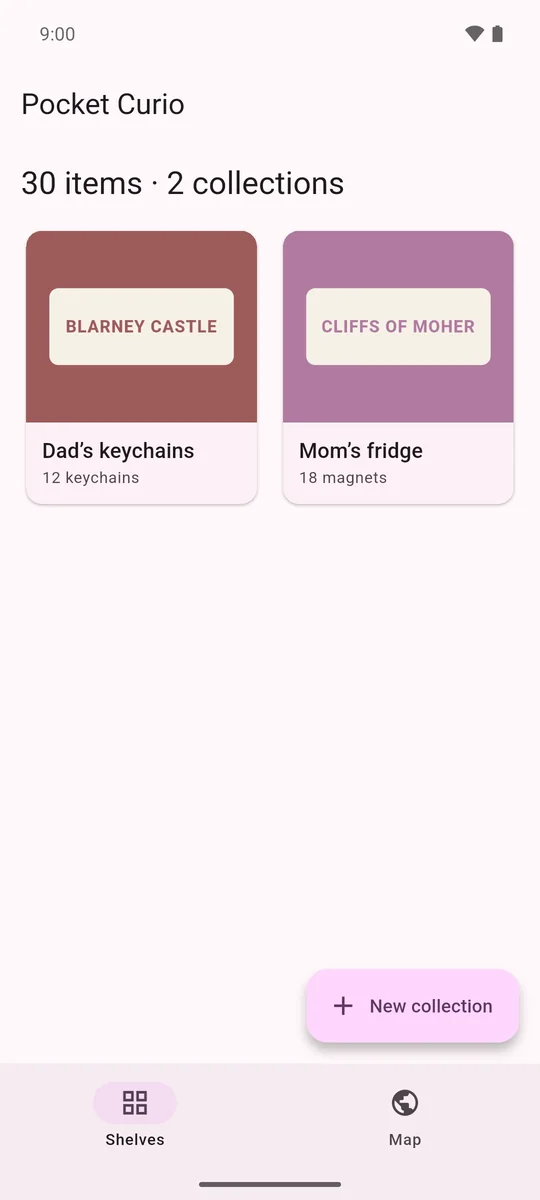
Each collection's tile shows a cover photo — the first souvenir by default, or any souvenir you choose with Use as collection cover from its detail screen. Rename, change the kind, or delete a collection from the ⋮ menu on its shelf.
Adding a souvenir
Open a collection and tap Add magnet (or keychain, or spoon…). The camera opens immediately — the photo is the record, so it comes first:
- Take the photo. Fill the frame with the souvenir. You can Retake, Crop to tighten the shot, or Choose from library instead.
- Check the place. The Place field is prefilled with what the app read off the print (see below). Fix the spelling if it needs it, or type the place yourself.
- Save. That's a complete souvenir — photo and place. Everything else is optional and can be added any time from the edit screen.
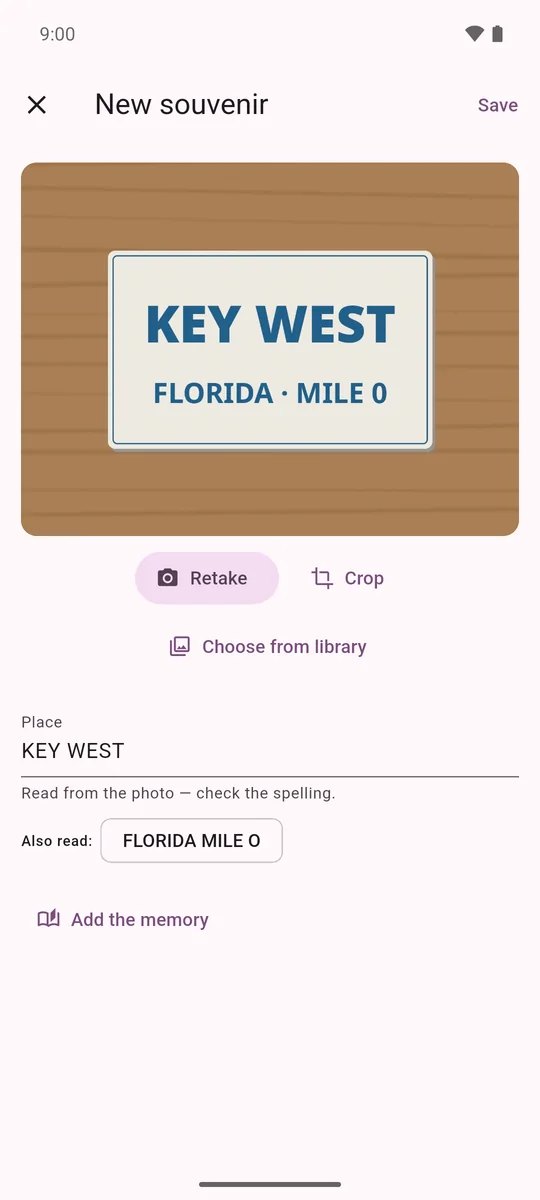
The composer is built so you can add a souvenir while it's still in your hand at the gift shop. The memory can come later, when it comes back to you.
Reading the place off the print
Most souvenirs have the place printed right on them. When the photo lands, Pocket Curio runs on-device text recognition over it and:
- puts the most likely line in the Place field with the note "Read from the photo — check the spelling";
- shows the other lines it read as Also read chips — tap one to use it instead ("FLORIDA · MILE 0" when the big text was "KEY WEST").
Start typing and the note clears — your spelling wins. Recognition runs entirely on your phone: no image or text is uploaded, and it works in airplane mode. Handwritten script and non-Latin alphabets aren't supported by the recognizer.
The memory
Tap Add the memory on the composer (or Edit on any souvenir) to unfold the rest:
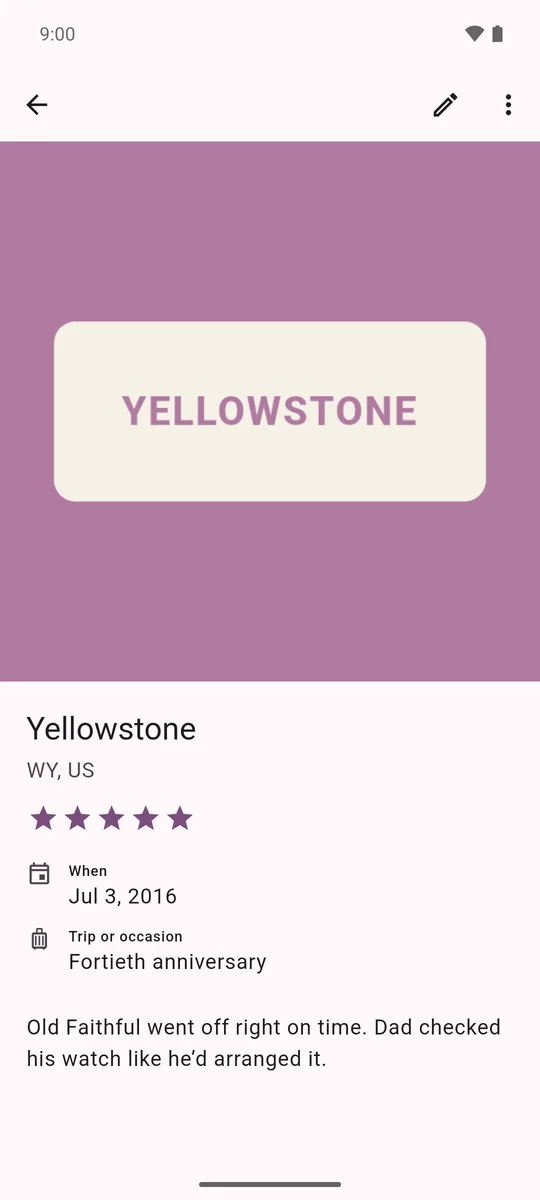
- City, State, Country — the state and country are what light up the map. "Florida", "FL", "usa", "England" are all understood.
- When — the date you got it. Feeds "Souvenirs by year" and "The oldest" on the map.
- Trip or occasion — "Honeymoon", "the 2019 road trip".
- Who gave it to you? — leave blank if you picked it up yourself.
- How much do you love it? — one to five stars.
- The memory — what happened that day, in your own words.
Scanning a whole shelf or fridge
Already have forty magnets on the fridge? Don't photograph them one at a time. On the collection's shelf, tap the scan icon (or Already have a shelf full? Scan it on an empty shelf) and choose Take a photo of the shelf or Choose a photo:
- Box each souvenir. On the Box each souvenir screen, drag a box around each one with your finger. Tap a box to remove it. Take your time — the boxes are the crops.
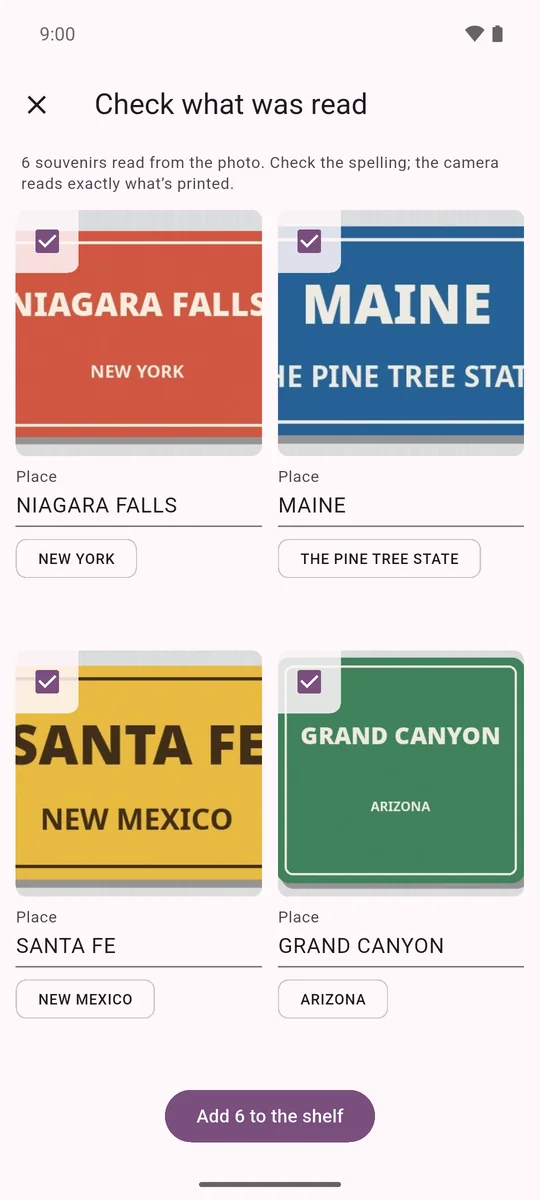
- Check what was read. Every box becomes its own photo, and the app reads the place off each one. The review grid shows the crops with their place names — fix any spelling right there, type in the ones it couldn't read, and untick any box that wasn't a souvenir.
- Add them all. One tap adds every crop as its own souvenir. Fill in memories later, one at a time, as they come back to you.
Leave the scan at any step before the final add and nothing is saved — no rows, no stray photos.
Browsing, sorting & editing
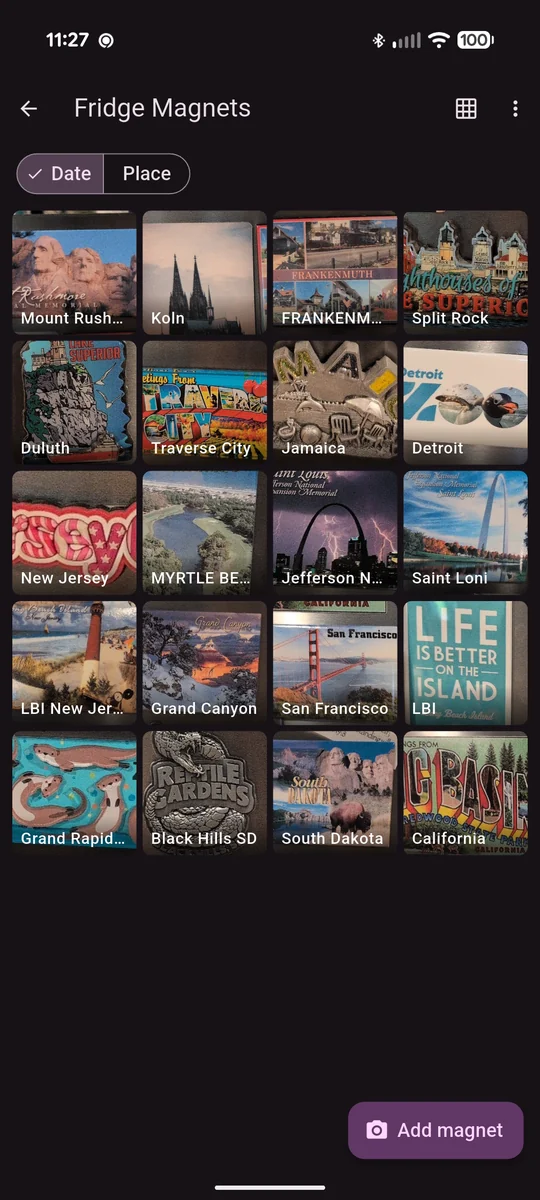
A collection's shelf is a photo grid, each tile labelled with its place. Switch the sort between Date and Place at the top. Tap any tile for the detail screen, where you can:
- Edit anything — photo, place, date, memory, rating.
- Use as collection cover to put this souvenir on the collection's tile.
- Remove the souvenir (after a confirmation). Its photo is deleted with it.
The map Pro
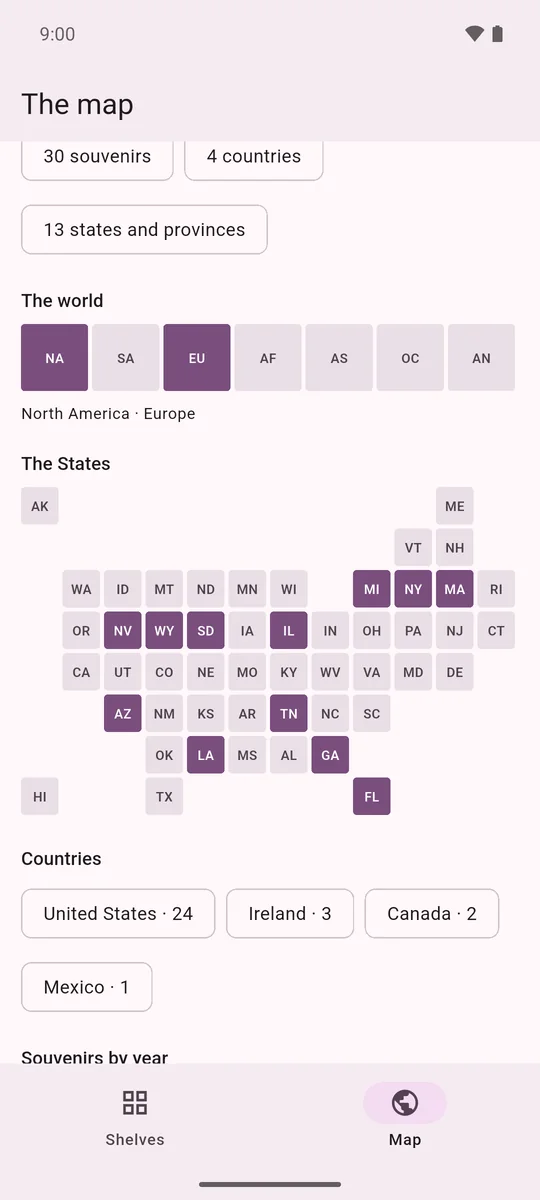
The Map tab is where the collection becomes a travel record. It's drawn entirely from the states and countries you've typed — no location permission, no network:
- So far — souvenirs, countries, and states & provinces, at a glance.
- The world — seven continent tiles that light up as you add a country on each.
- The States — a tile map of the US; each state fills in with its first souvenir.
- Countries — every country with its count.
- Souvenirs by year and The oldest — from the dates you've entered.
Backup, restore & CSV export Pro
At the bottom of the Map tab, under Yours to keep:
- Share souvenirs as CSV — one row per souvenir (collection, kind, place, city, state, country, date, occasion, who gave it, rating, notes, photo filename), sent through the share sheet to wherever you like.
- Back up everything — a single backup file with every collection, souvenir, and photo. Share it to your own cloud drive, email it to yourself, or save it to Files.
- Restore a backup — pick a backup file and the app restores it. Restore is available without Pro, so a backup made on one phone always opens on the next.
Restoring replaces everything on the phone with the contents of the backup — every collection, souvenir, and photo. The app asks before doing it.
Free tier & Pocket Curio Pro
Your first collection and your first 25 souvenirs are free, always. A counter on the shelf tells you where you stand — "Room for 3 more — then Pocket Curio Pro." Nothing you've photographed is ever locked away; only the second collection or the 26th souvenir opens the Pro sheet.
Pocket Curio Pro is the whole shelf: unlimited collections and souvenirs, the map, and backup & CSV export. Two ways to get it:
- Yours forever — one purchase, no subscription. It makes a good gift.
- Month to month — a monthly subscription, cancel any time through the store.
- The free tally counts what you've ever added, so deleting a souvenir doesn't hand the slot back.
- Payment is handled entirely by Google Play or the App Store; we never see your payment details.
- Reinstalled? Restore purchase on the Pro sheet brings it back through the store.